50% off PortDroid Pro
Black Friday and Cyber Monday: unlock every one of PortDroid’s 17 network tools for life, at half price. Use the promo code CYBER_2026.
One payment. No subscription, no ads, no analytics you did not ask for. Yours forever.
The offer
50% off PortDroid Pro Lifetime, a one-time purchase
Was $9.49, now $4.69 with code CYBER_2026
Offer starts: 21st November 2026
Offer ends: 4th December 2026 (23:59)
Prices shown in USD. What you actually pay depends on your country and its sales tax, and
the app shows you your own price in your own currency before you buy.
The offer runs to the end of 4th December and the code stops working after that.
How to claim it
- Get the app: download PortDroid from the Google Play Store
- Open the menu: tap the menu button in the top-left corner
- Go Pro: tap ‘Unlock Pro Features’. Every price is on the screen that opens
- Apply the code: tap ‘Promo code’ at the bottom of that screen, type CYBER_2026, and tap ‘Add’
- Buy: the Lifetime row drops to the sale price, with the full price struck through beside it and the saving as a percentage, both in your own currency
- Enjoy: that’s the whole app unlocked, permanently 😊
Already running PortDroid? A sale card appears on the home screen from 21st November, and tapping it applies the code for you, so steps 2 to 4 happen by themselves.
The code is what unlocks the sale price, so it is worth typing even if you came here first.
What Pro unlocks
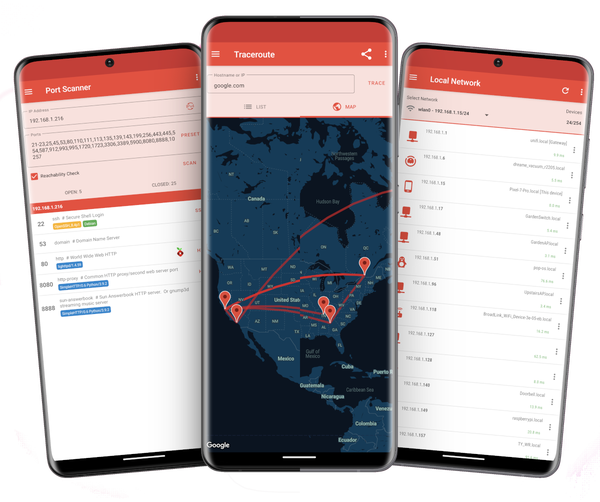
Every tool, with no limits: port scanning with banner grabbing and HTTP header inspection, TCP and HTTP ping, traceroute with a map, DNS and reverse DNS, WHOIS, local network discovery with vendor lookup, WiFi analysis, mDNS and UPnP browsing, certificate inspection with expiry alerts, a speed test, and CSV/JSON/plaintext export from the scanners.
Spread the love
Enjoying PortDroid Pro? A review on Google Play genuinely helps a one-person app. Found a bug or want a tool that is not there yet? The Feedback screen in Settings comes straight to me. Cheers to your network adventures! 🍻